Project Description
The project is divided into several phases. The overall requirements and specifications for each phase are described below.
Requirements for all Project Phases
- Requirement: The code is delivered to the GitHub repository assigned to your group. The repository follows all rules and directives defined under project organization.
- Requirement: A tag named “Phase-X” is added to your GitHub repository for each phase.
- Requirement: The code delivered to GitHub under the corresponding tag compiles without error and can be flashed to the target device. Any program must run without error on the target device.
- Requirement: The manifest folder is named
manifest-repo. - Requirement: The folder structure is identical to the one documented in the different codelabs.
Your Zephyr RTOS workspace uses the T3 topology. Each application (e.g.
blinkyorbike_computeris delivered as a separate application using the same manifest. The applications are located at the root of the workspace folder, in a folder named after the application (likeblinkyorbike_computer). - Requirement: All applications in the project can be compiled and run even if the application folder
is moved to another location (e.g. to a subfolder in the workspace’s root folder). This means
that
CMakeLists.txtmust be written in a way that supports this behavior. - Requirement: the README file of the project contains a short description of the project and of each project phase. It also contains answers to questions based on each phase requirement.
Note that any major deviation from these rules may lead to the project not being considered for the lecture grade.
Bug Fixes from one Phase to the Next Phase
After you delivered a specific phase of the project, a few issues related to your project may have been created. These will need to be fixed within the next phase.
In order to fix issues orderly, the proper way to do so is to create a
dedicated branch per issue and only commit the fix(es) related to that issue
on that branch. Once the fix is made available and approved, the branch created
for that purpose is deleted. Below you find a description how you shall go
about it.
Under the github project you created, under Issues,
chose the issue you intend to address and :
- Define who the issue is assigned to with the field
Assignees - Declare what type of issue it is
Labels(note: choose the correct type) - Potentially define at what milestone the issue should be fixed. In your case
add
Phase 2as milestone - Create a dedicated branch for fixing the particular issue
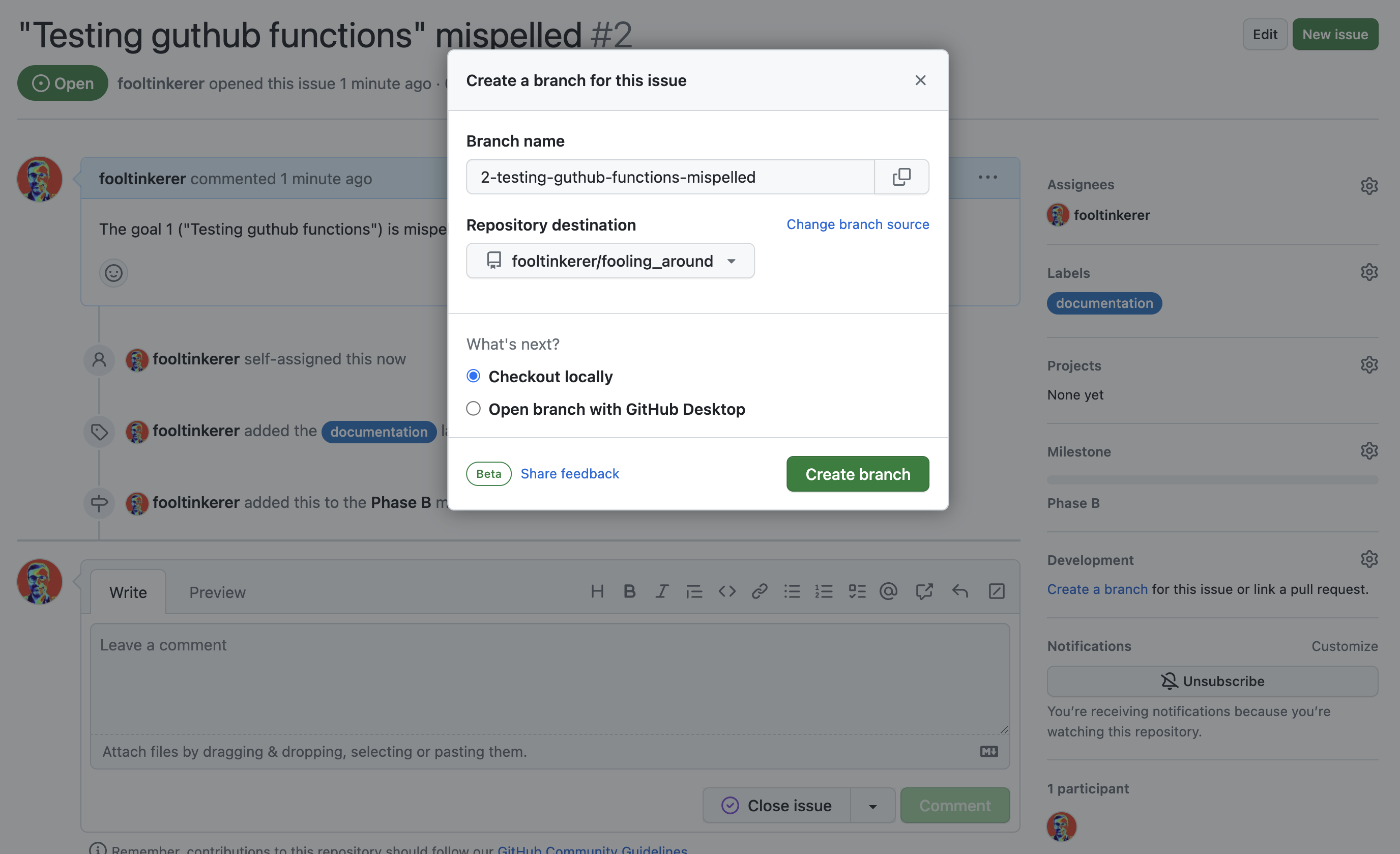 Afterwards you can pick the newly created branch to fix the issues with
the following commands
Afterwards you can pick the newly created branch to fix the issues with
the following commands
git fetch origin git checkout 2-testing-guthub-functions-mispelled - Go about fixing the issue and commit to the newly created branch
Or (as the example was fixed directly in github)
  git add README.md
  git commit -m "fix: corrected github mispell"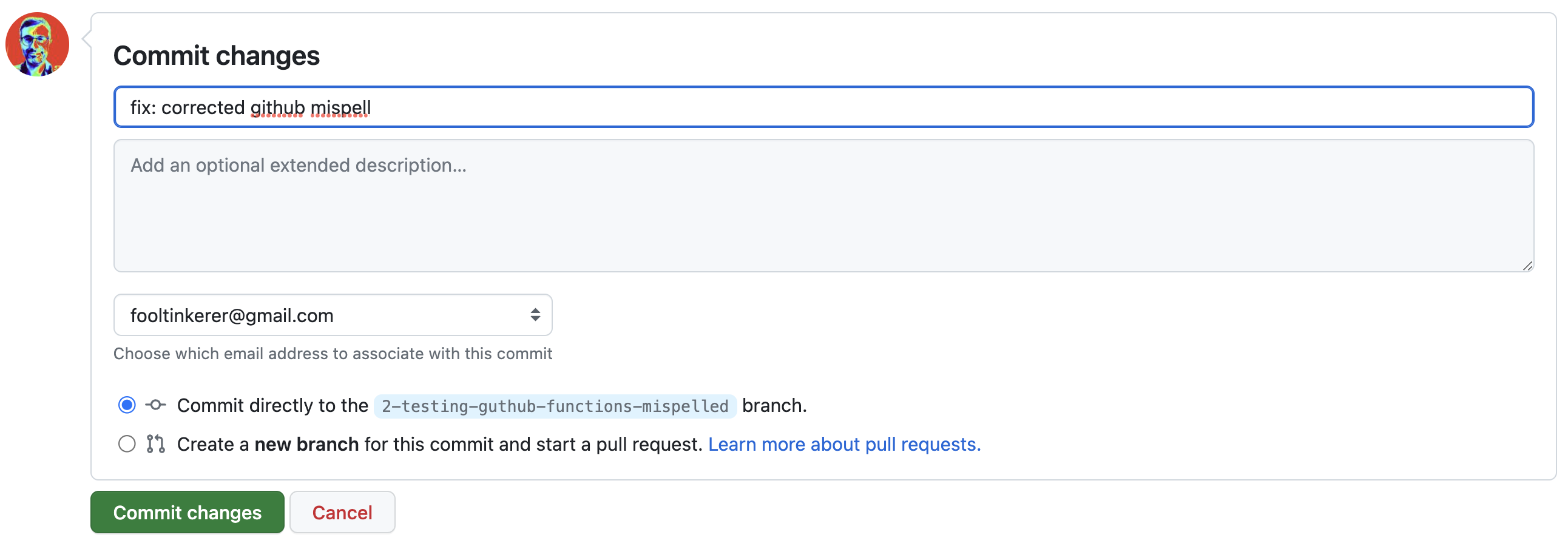
-
In order to protect the quality of the
mainbranch, usually it is protected. Protected in this context means that no changes are accepted without application of the four eye principle (see at the bottom of the page for a definition).
In order to activate the protection, you need to :- go to your repository Settings and click on Branches
- there you need to choose Branch protection rules and Add rule
- once the Add rule page opens up, fill in the information as
per the following picture:
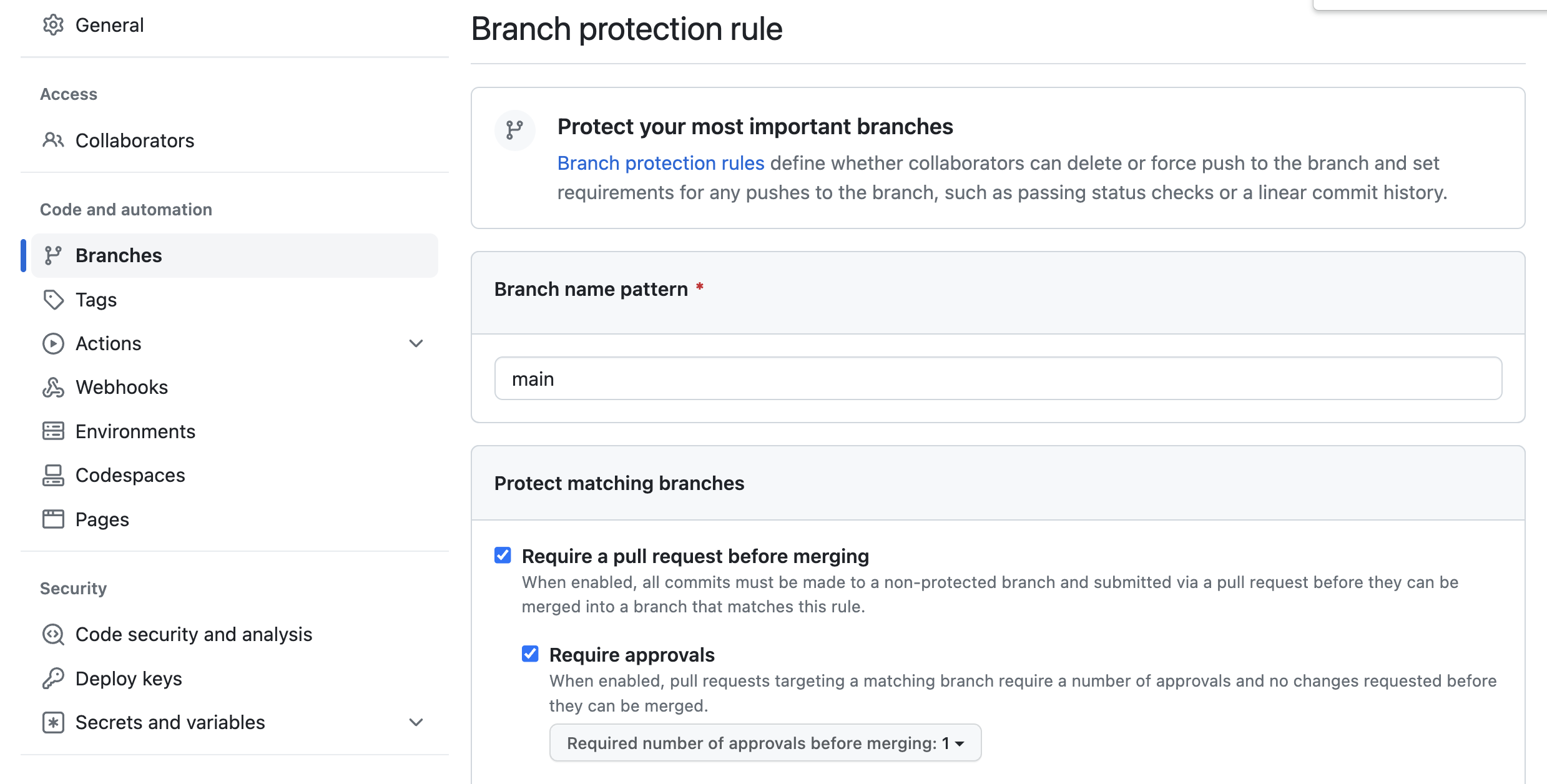
-
When are finished, you should be able to see the following:
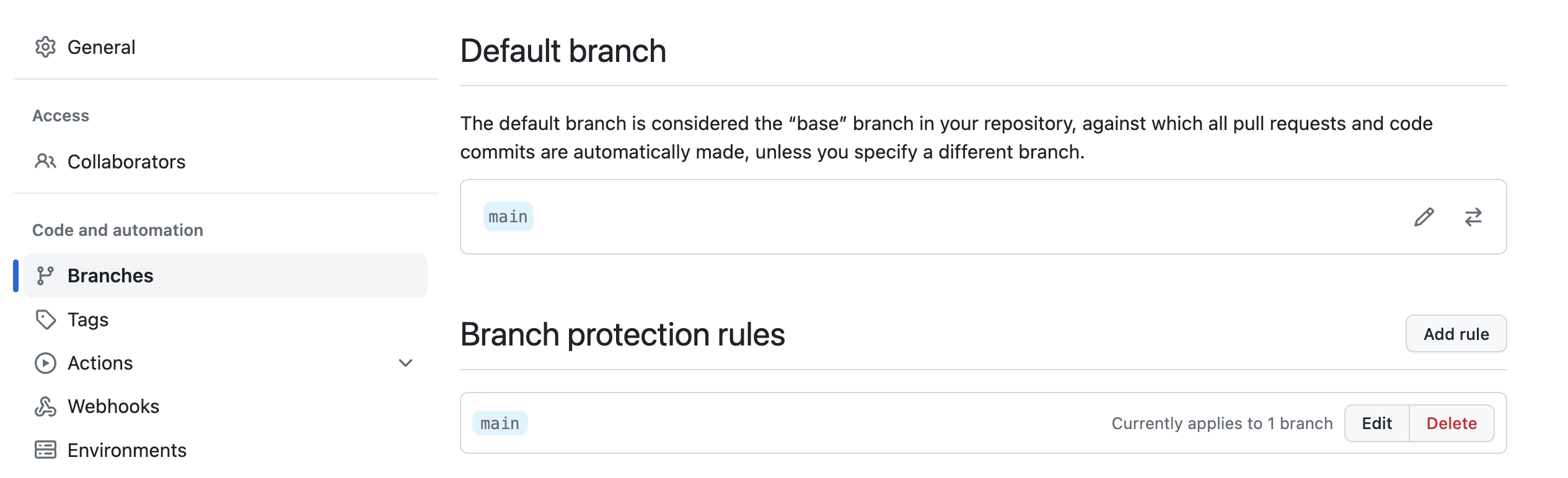
-
Once the fix is available, you shall create a pull request
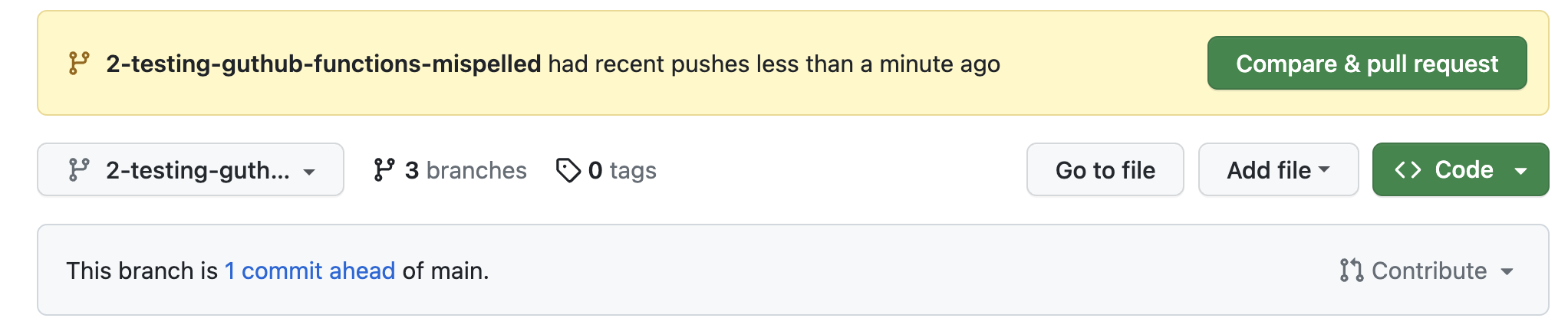
- When you are creating the pull request, you shall define at least one
reviewer. Normally, at least the issue issuer shall be invited to review
the correction.
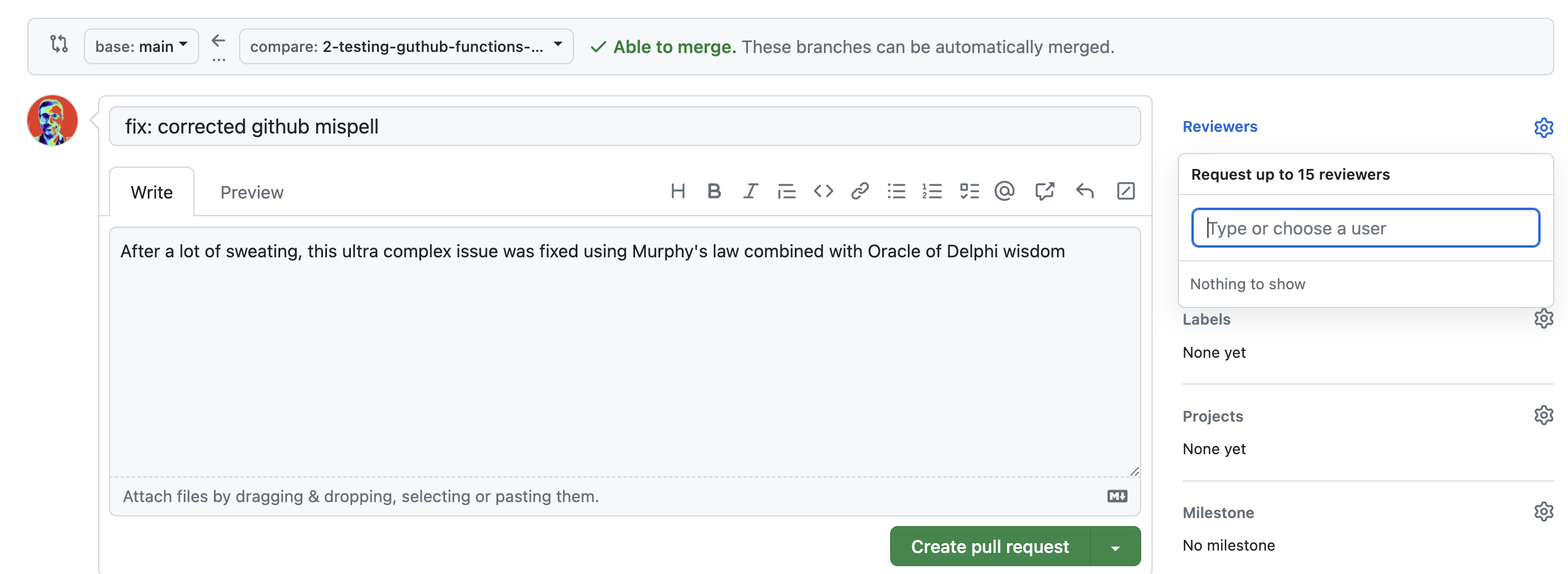
- After the reviewer has approved the change, for as long as there are no
conflicts, the merge can occur into
main. It can even do automatically if one chooses so (Enable auto-merge). - When the merge has been done, you should delete the specific branch created
for fixing the issue (see Delete branch in picture below)
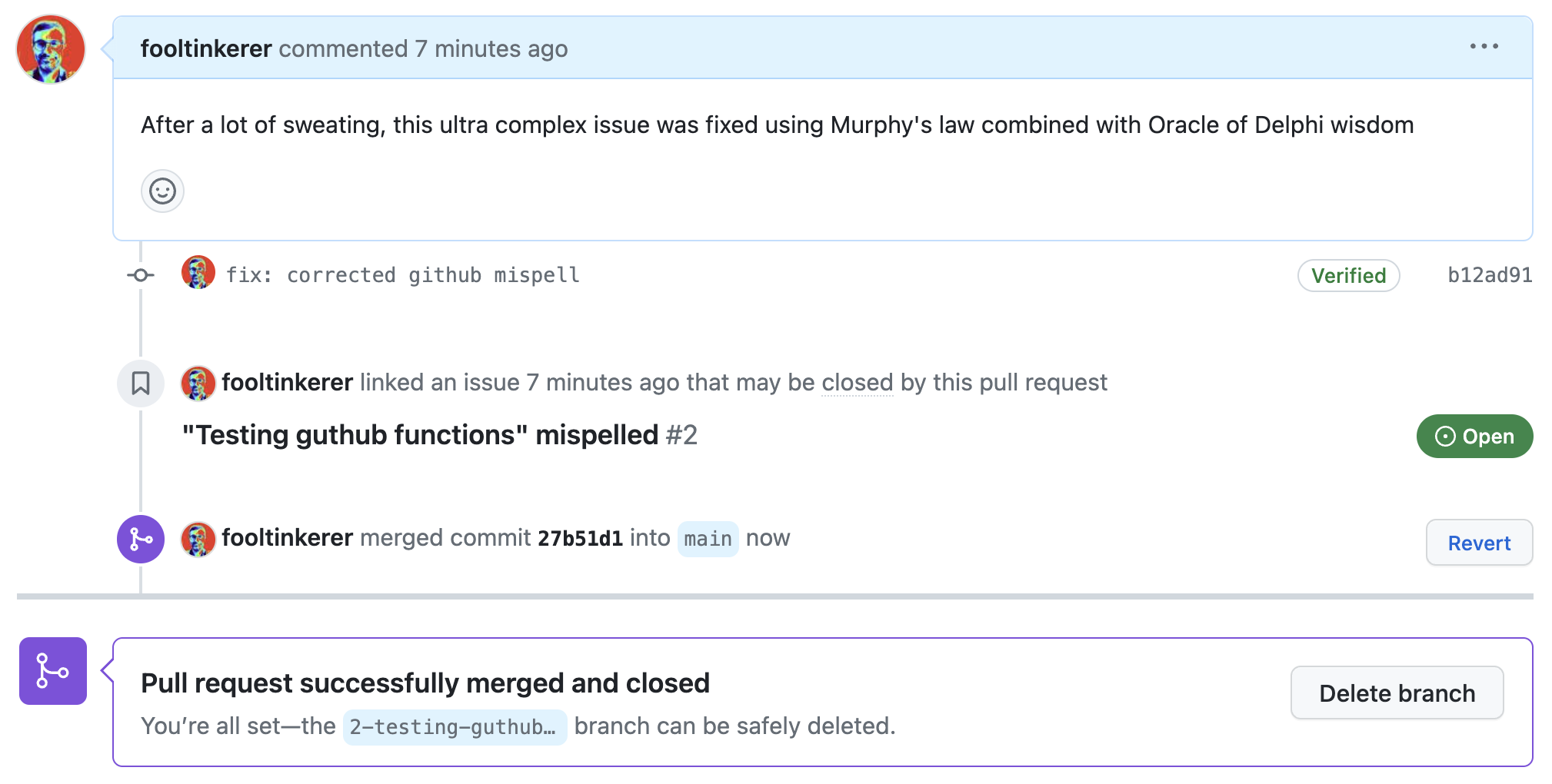
Note
Make sure you replace 2-testing-guthub-functions-mispelled in the example
above with the correct branch when you run above commands.
Warning
Once the branch protection is installed, it would make sense to use dedicated branches also for feature development. Not only is this good practice, but it also works for everyone - contrary to bypassing branch protection that only works for administrators.
Quote - Four eyes principle
The Four eyes principle is a requirement that two individuals approve some action before it can be taken. The Four eyes principle is sometimes called the two-man rule or the two-person rule.
Project Phases
The project specifications are described in the following sections.
Phase A: GitHub Infrastructure, Software Quality and Tests
Expected Deliverables/Requirements
- Deliverables/Requirements of the Getting Started codelab.
- Deliverables/Requirements of the Improving Software Quality codelab
- Deliverables/Requirements of the Digging into some Advanced Zephyr RTOS Concepts and Tools codelab.
- Deliverables/Requirements of the Embedded Software Testing codelab.
Phase B: bike_computer Static Cyclic and Event-Driven Implementations
Expected Deliverables/Requirements
- Deliverables/Requirements of the BikeComputer part I codelab.
- Deliverables/Requirements of the BikeComputer part 2 codelab.